
How to Buy ID Free Fire Accounts & Top Up Diamonds (24/7 Auto System)
Welcome to the official user and purchase guide for รหัสฟีฟาย, your all-in-one platform for Free Fire services. Whether you are looking for high-quality ID Free Fire accounts with rare weapon skins and legendary sets, or seeking affordable, secure Free Fire Top Up services without ban risks, you can complete every transaction yourself via our fast and secure 24/7 automated system—no complicated registration required!
4 Simple Steps to Buy ID Free Fire Accounts
We designed our purchasing flow to be as fast and seamless as possible so you can get your game account ready to play within minutes. Just follow these 4 simple steps:
Choose Your ID Free Fire
Browse our catalog to select an ID Free Fire account with verified specs, complete skin details, and transparent preview images.
Pay via Auto System
Select your preferred payment method, supporting TrueMoney Wallet AngPao, TrueMoney Cash Cards, and Razer Gold.
Enter Delivery Details
Provide your valid mobile phone number and email address (our automated system delivers credentials to both channels immediately).
Get Credentials Instantly
Once payment is confirmed, login credentials will be delivered instantly via SMS and email, ready for immediate use.
Payment Completed but Didn't Receive Account Details, SMS, or Email?
If mobile network disruptions delay SMS messages or if the delivery email lands in your "Spam/Junk" folder, please don't worry! Our store securely logs all order history. Please follow these simple troubleshooting steps:
- Check Email Spam Folder: Delivery emails may occasionally be categorized as spam. Please check your Junk or Spam Mail folder first.
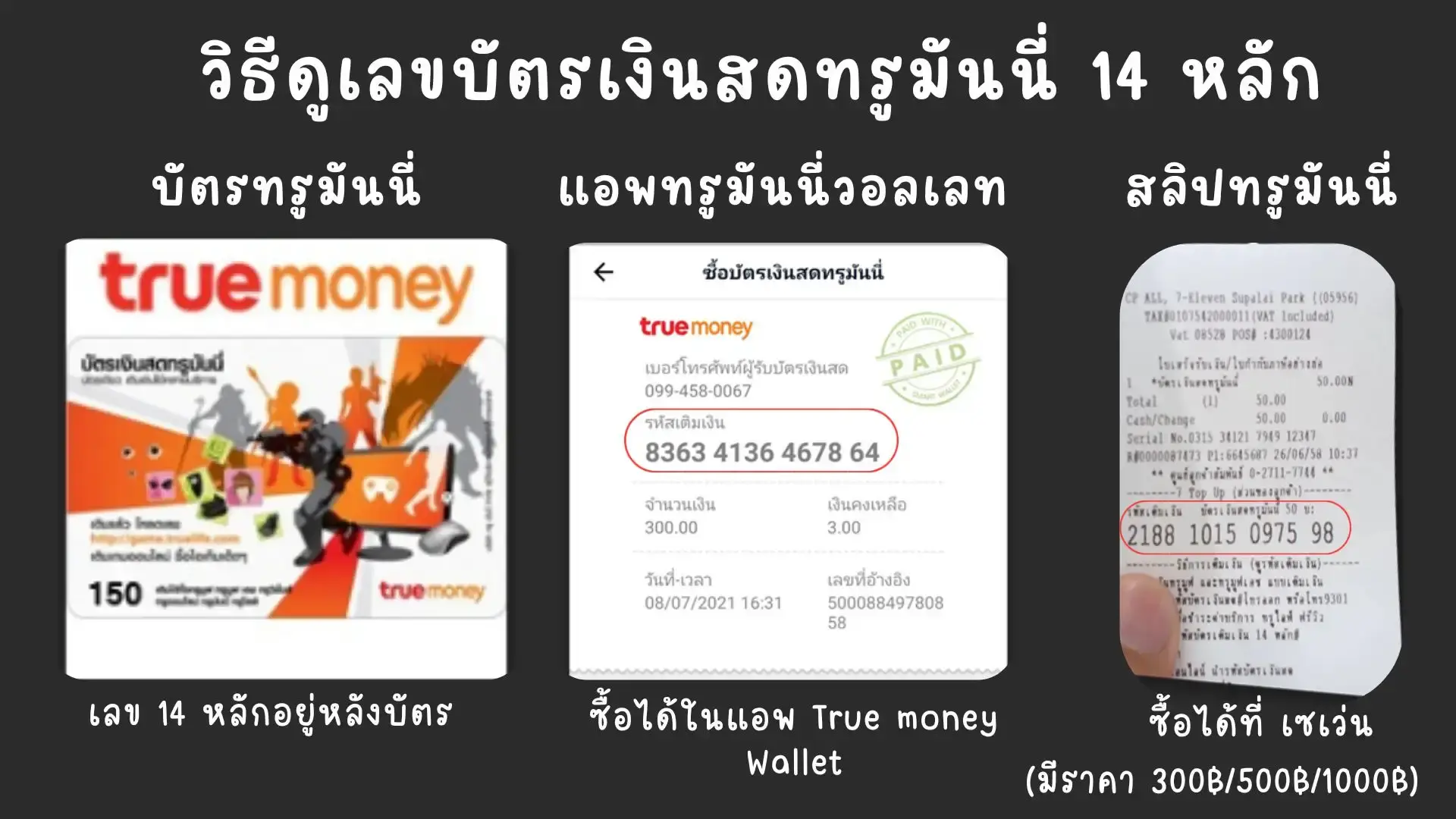
- Prepare Proof of Payment: Save your transfer slip image, Order ID, or the 14-digit cash card code used during checkout.
- Contact Admin Support: Submit your proof to our admin team via our Contact Us page or live chat. Our team is available 24/7 to verify and manually deliver your credentials.
How to Top Up Free Fire Diamonds via UID (Fast & Cheap)
For players looking for affordable Free Fire Top Up services cheaper than in-game purchases, requiring no password, 100% safe from bans, and zero refund issues, follow these simple steps:
Select Diamond Package
Choose your desired Free Fire diamond package based on your budget and preferences.
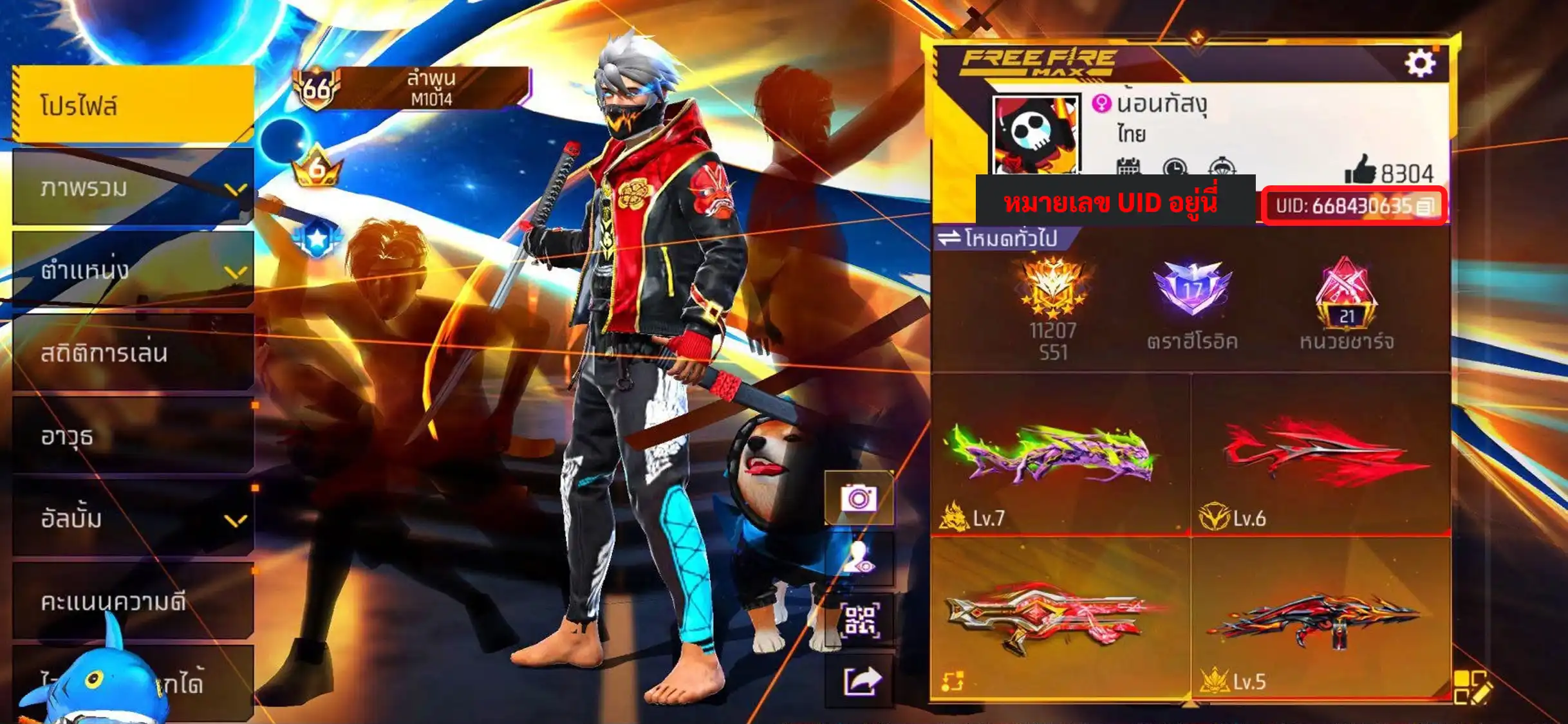
Enter Character UID
Input your character UID correctly to ensure diamonds are credited to the right account.
Automated Payment
Enter your 14-digit cash card code or scan QR code for instant automated payment.
Diamonds Delivered Instantly
Wait 1–3 minutes for system processing, and diamonds will be credited directly to your account.
Peace of Mind with Our 6-Month Full Warranty!
Every game account sold on รหัสฟีฟาย is rigorously screened and verified. Accounts are clean and 100% free from hack software or mod scripts. To ensure maximum peace of mind, we provide a full 6-month security warranty against account retrieval from the date of purchase. If any access disputes arise from the original owner, our support team will happily investigate, issue a replacement, or resolve the issue promptly. Buy and trade ID Free Fire with us with complete confidence!
How to Purchase TrueMoney / Razer Gold Cash Cards
If you don't have a bank account or prefer paying with prepaid cash cards, you can purchase TrueMoney or Razer Gold cards conveniently through various channels:
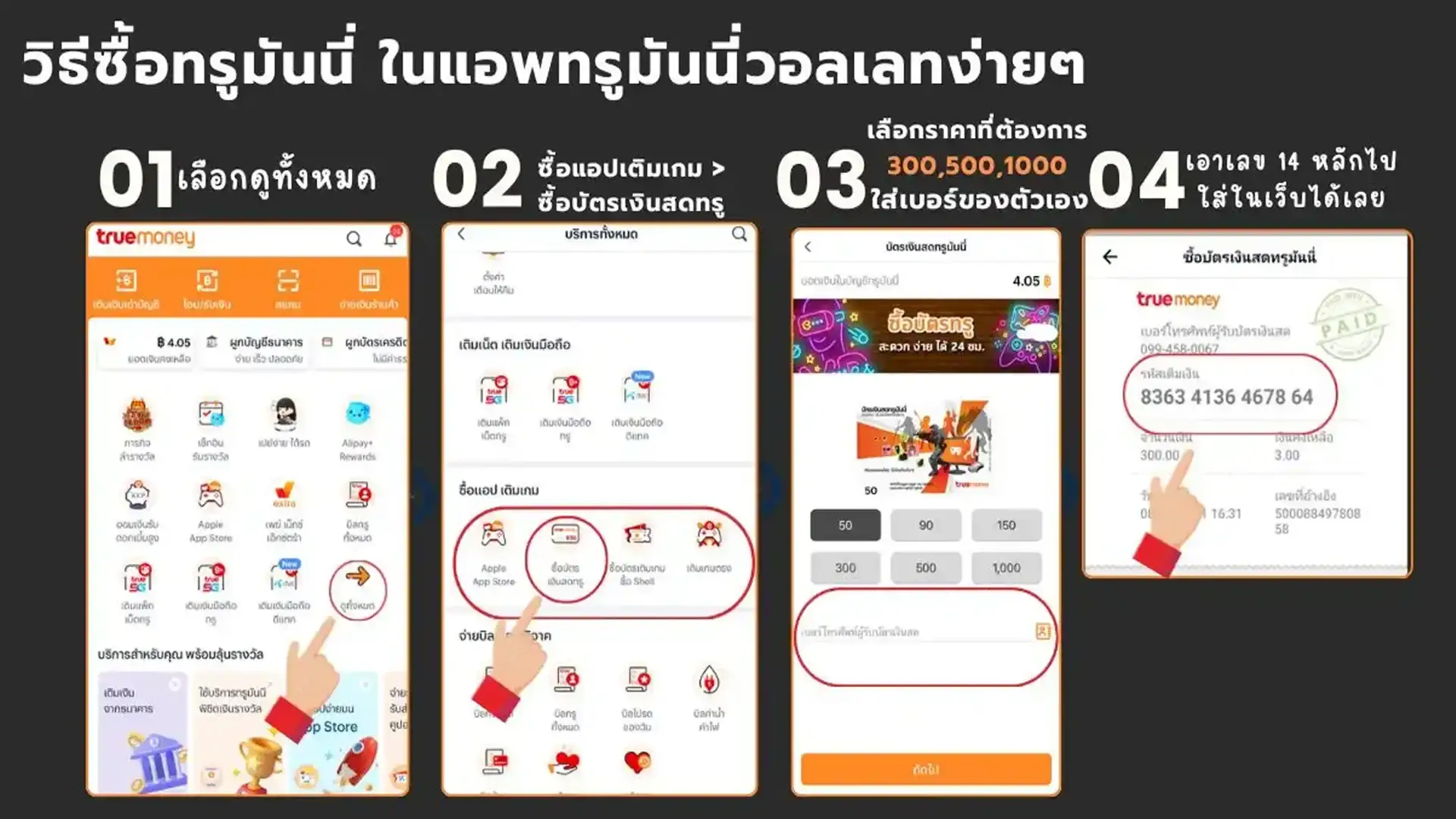
Via TrueMoney App
Open TrueMoney app, go to Game Top-Up / Cash Cards, select card type and amount, then confirm to receive your 14-digit card PIN instantly.
At Convenience Stores (7-Eleven)
Ask the cashier for a TrueMoney Cash Card in your desired denomination, then check the 14-digit card PIN printed on the receipt.
Via Boonterm Kiosks
Select Top-Up / Game Card > TrueMoney, insert cash for the desired amount, and the system will send the 14-digit PIN via SMS.
How to Change Password & Secure Facebook Account After Purchasing
After receiving your account details, we strongly recommend changing the password and updating security settings immediately to prevent unauthorized access:
- 1. Go to Account Settings: Open Facebook app > tap Options menu (three lines) > select "Settings & Privacy" > tap "Settings".
- 2. Access Meta Accounts Center: Tap "Meta Accounts Center" located at the top of the screen.
- 3. Navigate to Password & Security: Select "Password and Security" > tap "Change Password".
- 4. Set New Password: Choose your Facebook account, enter the password provided by our shop, and create a strong new password (a mix of letters, numbers, and symbols). Tap "Save Changes".
- 5. Log Out of All Devices: In the security settings, tap "Where You're Logged In" and choose "Log Out Of All Sessions" to disconnect any previous sessions.
- 6. Enable Two-Factor Authentication (2FA): Turn on 2FA using an Authenticator app or SMS for an extra layer of defense.

Essential Guidelines Before Buying an ID Free Fire Account
To ensure a smooth and enjoyable buying experience, please read these important tips from รหัสฟีฟาย:
- Privacy Policy: Our store and staff will NEVER ask for your personal email password, banking password, or OTP code under any circumstances.
- Updating Credentials: Always change the account password, recovery email, and phone number immediately after delivery.
- Keeping Proof of Payment: Always save your transfer slips, cash card receipts, or order IDs as proof for support verification.
- 6-Month Full Warranty: Every account is backed by a 6-month security warranty against retrieval from the date of purchase.
- 24/7 Customer Support: If you face login issues or need assistance, contact our admin team via our Contact Us page anytime.
- 100% Clean Accounts: All ID Free Fire accounts are pre-checked, 100% clean, never used with cheat scripts, and transferred completely to you.
Related Categories :ID Free Fire Auto Purchase,Free Fire Top Up via UID,Cheap Free Fire Top Up,Buy Safe ID Free Fire,Change Free Fire Facebook Password,ID Free Fire 6-Month Warranty